Semantic Release
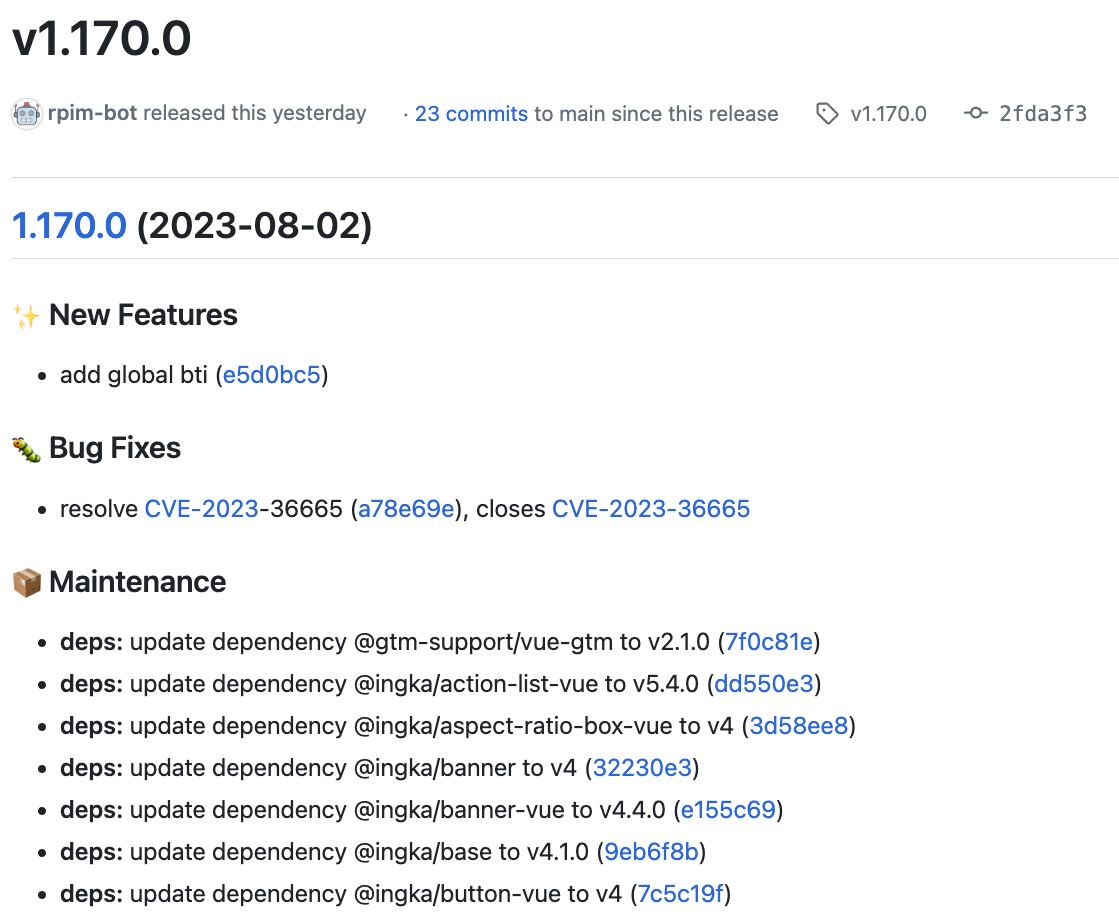
Automatic versioning and release notes

Optional floating tag creation
Purpose
Semantic Release automates the creation of a release and related tasks. It depends on a commit convention being used in your repository and by default it assumes that you use the Conventional Commits convention. It can be configured to handle any sequence of events, such as:
- automated decision of whether or not a release should be made
- automated semantic versioning
- automated release notes
- automated changelog committed back to repository
- publishing packages/binaries etc
- and more - provide your own configuration to handle any custom task
Usage
Minimal Example
Below is an example of the minimal configuration required to run the workflow. It's based on sensible defaults but will not satisfy all use cases.
To see how to customise the job(s) to work for your case, refer to inputs, secrets and the Additional examples.
jobs:
  semantic-release:
    uses: erzz/toolbox/.github/workflows/semantic-release.yml@v1
    # no mandatory inputs
    # no mandatory secrets
Inputs
| Input | Type | Description | Required | Default |
|---|---|---|---|---|
| default-config | boolean | The workflow provides it's own .releaserc.json configuration. If you wish to provide your own config file, set to `false` | false | true |
| branches | string | Use to override branches attribute in the .releaserc.json (used mostly for testing) | false | null |
| dry-run | boolean | Used to only preview the release result and notes for testing. Set to true to enable | false | false |
| create-floating-tag | boolean | Set to `true` to create an additional floating tag e.g. for release `v1.3.0` also create/move `v1` to the same SHA | false | false |
| create-sensitive-file | boolean | Allows you to add a sensitive file from a Github secret. Set to `true` and provide `inputs.sensitive-file-path` and `secrets.sensitive-file-content` | false | false |
| sensitive-file-path | string | The relative path under which to write the sensitive-file e.g. `.netrc` | false | null |
| update-pom | boolean | If you need to update the pom.xml with the new version set to `true` | false | false |
| npm-auth | boolean | If you need to authenticate with an NPM registry to publish packages set to `true` | false | false |
| npm-registry | string | The URL to the NPM registry to publish packages to | false | null |
| vault-url | string | The URL to the HashiCorp Vault instance | false | null |
| vault-namespace | string | The namespace in HashiCorp Vault to retrieve token secret from. | false | null |
| token-vault-secret | string | The name of the secret in Vault to retrieve token secret from in the format `secret/data/my/secret token | TOKEN ;` Piping into a TOKEN variable is required to be properly referenced in further jobs | false | null |
Secrets
| Input | Description | Required |
|---|---|---|
| token | A secret containing a Github PAT with relevant permissions to publish releases | false |
| auth-token | Arbitrary token to be exposed as environment variable in the format VARIABLE=value | false |
| auth-token-2 | Arbitrary token to be exposed as environment variable in the format VARIABLE=value | false |
| sensitive-file-content | Reference the Github secret that contains the content of your sensitive file | false |
| artifactory-user | Username to authenticate with artifactory | false |
| artifactory-password | Password or Token to authenticate with artifactory | false |
Outputs
| Output | Description | Value |
|---|---|---|
| new_release_published | Whether a new release was published (true or false) | ${{ jobs.release.outputs.new_release_published }} |
| new_release_version | Version of the new release e.g. `1.3.0` | ${{ jobs.release.outputs.new_release_version }} |
| new_release_major_version | Major version of the new release e.g. `1` | ${{ jobs.release.outputs.new_release_major_version }} |
| new_release_minor_version | Minor version of the new release e.g. `3` | ${{ jobs.release.outputs.new_release_minor_version }} |
| new_release_patch_version | Patch version of the new release e.g. `0` | ${{ jobs.release.outputs.new_release_patch_version }} |
| new_release_notes | The release notes for the new release | ${{ jobs.release.outputs.new_release_notes }} |
| last_release_version | Version of the last release e.g. `1.2.0`, if there was one | ${{ jobs.release.outputs.last_release_version }} |
| ref-slug | A URL sanitized version of the github ref | ${{ jobs.release.outputs.ref-slug }} |
| short-sha | Captures the short SHA for use in this or later workflow jobs | ${{ jobs.release.outputs.short-sha }} |
Configuration Notes
Behaviour
The behaviour of this workflow is configured via a configuration file. There is a standard configuration file provided by the workflow which can be used as a starting point.
This configuration can be disabled by setting the default-config input to false and providing
your own configuration file in your repository. See the
semantic-release docs
for more information about providing your own configuration.
GITHUB_TOKEN or PAT
If the secret token is not provided, then the workflow will run as and release as the Github
Bot user. This may not work if certain branch protection mechanisms are in place in which case you
should provide a personal access token (PAT) for a user with the necessary permissions.
Ensure that the user has at least the maintainer role in the repository and that the token has the
relevant scopes for all the types of activities you want to perform via semantic-release.
If you store the PAT in Hashicorp Vault, you can use it directly from by enabling OIDC Authentication between Github Actions and Vault.
Jira linking
The default configuration includes an item that automatically creates JIRA issues links in the
release notes from commit messages using the closes, fixes, resolves keywords using a regex match of
[A-Za-z]{2,10}-[0-9]{1,5}
To customise the regex or behaviour, provide your own configuration file in your repository.
Floating tags
An input is provided to automatically create/update floating tags for the major version.
For example when releasing version v1.2.3, a tag of v1 will be created (if one doesn't exist) or
will be updated to point to the same commit as v1.2.3.
Updating pom.xml version
Useful in the case of maven project where you want the pom to be updated with the released version.
This requires an alternative configuration provided by the workflow by enabling the
update-pom: true input.
Build authentication
Secrets are provided for build-time authentication with private package registries such as Artifactory, NPM etc.
There are options to provide an auth-token and/or auth-token-2 where the environment variable
they are exposed as is configurable.
For example you could expose auth-token: NPM_TOKEN=${{ secrets.SOME_SECRET }} or
auth-token: ARTIFACTORY_AUTH_TOKEN=${{ secrets.SOME_SECRET }} depending on what your build process
requires.
There is also an option to write a file from a secret using the create-sensitive-file input which
is useful for creating a maven-settings.xml file for example.
Additional Examples
Use your own configuration
Add your own .releaserc.json file to your repository and set the default-config input to false.
release:
  uses: erzz/toolbox/.github/workflows/semantic-release.yml@v1
  with:
    default-config: false
  secrets:
    token: ${{ secrets.RELEASE_TOKEN }}
Maven projects and using a maven settings file
With this combination of mvn-settings: true and mvn-settings-file: a special version of the
workflow will run which will give the ability to both set a maven-settings file plus a
semantic-release configuration that also updates pom.xml with the newly released version.
release:
  uses: erzz/toolbox/.github/workflows/semantic-release.yml@v1
  with:
    default-config: false
    create-sensitive-file: true
    sensitive-file-path: maven-settings.xml
  secrets:
    token: ${{ secrets.RELEASE_TOKEN }}
    sensitive-file-content: ${{ secrets.MAVEN_SETTINGS_FILE }}
Workflow details
Source code
name: Execute Semantic Release
permissions:
  actions: read
  contents: write
  issues: write
  pull-requests: write
  id-token: write
on:
  workflow_call:
    inputs:
      default-config:
        required: false
        type: boolean
        description: The workflow provides it's own .releaserc.json configuration. If
          you wish to provide your own config file, set to `false`
        default: true
      branches:
        required: false
        type: string
        description: Use to override branches attribute in the .releaserc.json (used
          mostly for testing)
      dry-run:
        required: false
        type: boolean
        description: Used to only preview the release result and notes for testing. Set
          to true to enable
        default: false
      create-floating-tag:
        required: false
        type: boolean
        description: Set to `true` to create an additional floating tag e.g. for release
          `v1.3.0` also create/move `v1` to the same SHA
        default: false
      create-sensitive-file:
        required: false
        type: boolean
        default: false
        description: Allows you to add a sensitive file from a Github secret. Set to
          `true` and provide `inputs.sensitive-file-path` and
          `secrets.sensitive-file-content`
      sensitive-file-path:
        required: false
        type: string
        description: The relative path under which to write the sensitive-file e.g. `.netrc`
      update-pom:
        required: false
        type: boolean
        description: If you need to update the pom.xml with the new version set to `true`
        default: false
      npm-auth:
        required: false
        type: boolean
        description: If you need to authenticate with an NPM registry to publish
          packages set to `true`
        default: false
      npm-registry:
        required: false
        type: string
        description: The URL to the NPM registry to publish packages to
      vault-url:
        required: false
        type: string
        description: The URL to the HashiCorp Vault instance
      vault-namespace:
        required: false
        type: string
        description: The namespace in HashiCorp Vault to retrieve token secret from.
      token-vault-secret:
        required: false
        type: string
        description: The name of the secret in Vault to retrieve token secret from in
          the format `secret/data/my/secret token | TOKEN ;` Piping into a TOKEN
          variable is required to be properly referenced in further jobs
    secrets:
      token:
        required: false
        description: A secret containing a Github PAT with relevant permissions to
          publish releases
      auth-token:
        required: false
        description: Arbitrary token to be exposed as environment variable in the format
          VARIABLE=value
      auth-token-2:
        required: false
        description: Arbitrary token to be exposed as environment variable in the format
          VARIABLE=value
      sensitive-file-content:
        required: false
        description: Reference the Github secret that contains the content of your
          sensitive file
      artifactory-user:
        required: false
        description: Username to authenticate with artifactory
      artifactory-password:
        required: false
        description: Password or Token to authenticate with artifactory
    outputs:
      new_release_published:
        description: Whether a new release was published (true or false)
        value: ${{ jobs.release.outputs.new_release_published }}
      new_release_version:
        description: Version of the new release e.g. `1.3.0`
        value: ${{ jobs.release.outputs.new_release_version }}
      new_release_major_version:
        description: Major version of the new release e.g. `1`
        value: ${{ jobs.release.outputs.new_release_major_version }}
      new_release_minor_version:
        description: Minor version of the new release e.g. `3`
        value: ${{ jobs.release.outputs.new_release_minor_version }}
      new_release_patch_version:
        description: Patch version of the new release e.g. `0`
        value: ${{ jobs.release.outputs.new_release_patch_version }}
      new_release_notes:
        description: The release notes for the new release
        value: ${{ jobs.release.outputs.new_release_notes }}
      last_release_version:
        description: Version of the last release e.g. `1.2.0`, if there was one
        value: ${{ jobs.release.outputs.last_release_version }}
      ref-slug:
        description: A URL sanitized version of the github ref
        value: ${{ jobs.release.outputs.ref-slug }}
      short-sha:
        description: Captures the short SHA for use in this or later workflow jobs
        value: ${{ jobs.release.outputs.short-sha }}
jobs:
  release:
    name: Semantic Release
    runs-on: ubuntu-latest
    outputs:
      new_release_published: ${{ steps.semantic-release.outputs.new_release_published }}
      new_release_version: ${{ steps.semantic-release.outputs.new_release_version }}
      new_release_notes: ${{ steps.semantic-release.outputs.new_release_notes }}
      new_release_major_version: ${{ steps.semantic-release.outputs.new_release_major_version }}
      new_release_minor_version: ${{ steps.semantic-release.outputs.new_release_minor_version }}
      new_release_patch_version: ${{ steps.semantic-release.outputs.new_release_patch_version }}
      last_release_version: ${{ steps.semantic-release.outputs.last_release_version }}
      short-sha: ${{ env.GITHUB_SHA_SHORT }}
      ref-slug: ${{ env.GITHUB_REF_SLUG_URL }}
    steps:
      - name: Checkout the code
        uses: actions/checkout@v4
        with:
          fetch-depth: 0
          persist-credentials: false
      - name: Slugify github variables
        uses: rlespinasse/github-slug-[email protected]
      - name: Export NPM token
        run: echo "NPM_TOKEN=${{ secrets.npm-token }}" >> $GITHUB_ENV
      - name: Include sensitive file
        if: ${{ inputs.create-sensitive-file }}
        env:
          FILE_CONTENT: ${{ secrets.sensitive-file-content }}
        run: |
          echo "Creating ${{ inputs.sensitive-file-path }}..."
          echo "$FILE_CONTENT" > ${{ inputs.sensitive-file-path }}
      - name: Export auth token 1
        env:
          TOKEN: ${{ secrets.auth-token }}
        if: ${{ env.TOKEN != '' }}
        run: |
          echo "::add-mask::${TOKEN#*=}"
          echo "${{ env.TOKEN }}" >> $GITHUB_ENV
      - name: Export auth token 2
        env:
          TOKEN: ${{ secrets.auth-token-2 }}
        if: ${{ env.TOKEN != '' }}
        run: |
          echo "::add-mask::${TOKEN#*=}"
          echo "${{ env.TOKEN }}" >> $GITHUB_ENV
      - name: NPM Auth with Artifactory
        if: ${{ inputs.npm-auth }}
        run: curl -u ${{ secrets.artifactory-user }}:${{ secrets.artifactory-password }}
          ${{ inputs.npm-registry }}/artifactory/api/npm/auth >> .npmrc
      - name: Get Configuration
        if: ${{ inputs.default-config }}
        run: >
          echo "Fetching default configuration from erzz/toolbox/configs..."

          curl --header 'authorization: Bearer ${{ secrets.GITHUB_TOKEN }}' \
            --header 'Accept: application/vnd.github.v3.raw' \
            --location https://api.github.com/repos/erzz/toolbox/contents/configs/semantic-release/generic.json \
            --fail \
            --output .releaserc.json || exit 1
          cat .releaserc.json
      - name: Get MVN Configuration
        if: ${{ inputs.update-pom }}
        run: >
          echo "Fetching default configuration from erzz/toolbox/configs..."

          curl --header 'authorization: Bearer ${{ secrets.GITHUB_TOKEN }}' \
            --header 'Accept: application/vnd.github.v3.raw' \
            --location https://api.github.com/repos/erzz/toolbox/contents/configs/semantic-release/pom.json \
            --fail \
            --output .releaserc.json || exit 1
          cat .releaserc.json
      - name: Get Secrets
        if: ${{ inputs.token-vault-secret != '' }}
        id: secrets
        uses: hashicorp/vault-action@v3
        with:
          url: ${{ inputs.vault-url }}
          role: default
          method: jwt
          namespace: ${{ inputs.vault-namespace }}
          path: ${{ env.GITHUB_REPOSITORY_OWNER_PART }}-${{
            env.GITHUB_REPOSITORY_NAME_PART }}
          secrets: ${{ inputs.token-vault-secret }}
      - name: Set token
        id: set-token
        run: |
          if [ '${{ inputs.token-vault-secret }}' != '' ];
          then
            echo "Using 'token' secrets from Vault"
            echo "TOKEN=${{ steps.secrets.outputs.TOKEN }}" >> $GITHUB_OUTPUT
          else
            echo "Using 'token' secret from GitHub Secrets"
            echo "TOKEN=${{ secrets.token }}" >> $GITHUB_OUTPUT
          fi
      - name: Semantic Release
        id: semantic-release
        uses: cycjimmy/semantic-release-action@v4
        env:
          GITHUB_TOKEN: ${{ steps.set-token.outputs.TOKEN != '' &&
            steps.set-token.outputs.TOKEN || secrets.GITHUB_TOKEN }}
        with:
          semantic_version: v21.1.1
          branches: ${{ inputs.branches }}
          dry_run: ${{ inputs.dry-run }}
          extra_plugins: |
            @semantic-release/git
            @semantic-release/changelog
            @semantic-release/exec
            [email protected]
      - name: Success summary
        if: ${{ steps.semantic-release.outputs.new_release_published == 'true' }}
        run: >
          echo "

          ### :bookmark: ✅ New release created (${{ steps.semantic-release.outputs.new_release_version }})


          **Release Notes:**


          ${{ steps.semantic-release.outputs.new_release_notes }}

          " >> $GITHUB_STEP_SUMMARY
  floating-tag:
    name: Create floating tag
    needs: release
    if: ${{ needs.release.outputs.new_release_published == 'true' &&
      inputs.create-floating-tag }}
    runs-on: ubuntu-latest
    steps:
      - name: Checkout the code
        uses: actions/checkout@v4
        with:
          fetch-depth: 0
          persist-credentials: false
      - name: Get Release SHA
        id: sha
        run: >
          SHA=$(git show-ref --hash v${{
          needs.release.outputs.new_release_version }})

          echo "SHA for v${{ needs.release.outputs.new_release_version }}: $SHA"

          echo "sha=$SHA" >> $GITHUB_OUTPUT
      - name: Create floating tag
        uses: actions/github-script@v7
        env:
          SHA: ${{ steps.sha.outputs.sha }}
        with:
          github-token: ${{ secrets.token != '' && secrets.token || secrets.GITHUB_TOKEN }}
          script: >-
            const sha = process.env.SHA;

            const major = 'v${{ needs.release.outputs.new_release_major_version }}';


            // If exists then update, else create

            try {
              await github.rest.git.updateRef({
                owner: context.repo.owner,
                repo: context.repo.repo,
                ref: `tags/${major}`,
                sha: sha,
                force: true,
              });
              core.info(`Updated ${major} to ${sha}`);
            } catch(err) {
              core.info(`Failed to update ${major}: ${err}`);
              await github.rest.git.createRef({
                owner: context.repo.owner,
                repo: context.repo.repo,
                ref: `refs/tags/${major}`,
                sha: sha,
              });
              core.info(`Created ${major} at ${sha}`);
            }
Job definitions
| Step | Uses | Conditional |
|---|---|---|
| Checkout the code | actions/checkout@v4 | false |
| Slugify github variables | rlespinasse/[email protected] | false |
| Export NPM token | script | false |
| Include sensitive file | script | true |
| Export auth token 1 | script | true |
| Export auth token 2 | script | true |
| NPM Auth with Artifactory | script | true |
| Get Configuration | script | true |
| Get MVN Configuration | script | true |
| Get Secrets | hashicorp/vault-action@v3 | true |
| Set token | script | false |
| Semantic Release | cycjimmy/semantic-release-action@v4 | false |
| Success summary | script | true |
| Step | Uses | Conditional |
|---|---|---|
| Checkout the code | actions/checkout@v4 | false |
| Get Release SHA | script | false |
| Create floating tag | actions/github-script@v7 | false |
Configuration Files
They are provided to get you started with sensible defaults. It's OK to replace them in order to tweak for your own preferences if required.